
Last Time, I talked about the PC I was using for MSFS 2024 and where it struggled. I could enjoy a flight at cruise, but take-off and landing often came with frame drops and stutters. I was also constantly closing apps to give the sim some breathing room. With the amount of cockpit hardware and software I use, I wanted a PC that could keep up with the whole setup.
I’ve now built that PC, got everything working and flown into airports that used to be a real challenge for my old one. Here’s why I chose the parts I did, what the build was like and how it has performed so far.
The parts I chose
The full build came to roughly £3,000–£3,300. I don’t have an exact total, so I’d rather give a range than pretend I do.
MSFS 2024 can be demanding when a lot is happening at once, especially around busy airports. I wanted a CPU that would give me a smoother experience in those situations, not just a higher number on an FPS counter.
That drew me towards AMD’s X3D CPUs. Their extra cache can be particularly useful in games, and the 9800X3D made sense for a build where flight simulation and gaming are the main priorities. I did look at the Ryzen 9 9950X3D, but for what I actually do, I felt the 9800X3D was the better choice for my money.
I wanted a GPU that would pair well with the CPU, let me turn up the graphics and give me room to use newer features such as frame generation. The RTX 5080 also gives me 16GB of VRAM, which was an important part of my decision for the sim and the scenery I use.
Of course I looked at the 5090! But the prices I was seeing, including over £4,000 for a used one, were more than I could justify. The 5080 felt like the sensible stopping point for my Build.
The 64GB of RAM was about the way I fly. I’ll have MSFS 2024 open alongside things like Fenix, SimApp Pro, Navigraph, SimBrief, vPilot or BeyondATC, OBS and browser tabs. I don’t run vPilot and BeyondATC together on a VATSIM flight, but I still use plenty of other apps at once. On my old PC I was always closing things and reopening them later. I wanted the freedom to leave the tools I needed running.
The NVMe SSD was another useful choice for getting into the sim and loading things faster.
The motherboard, cooler and case were more about finding parts that suited the build and offered good value. I chose a 1000W power supply to give myself room for future upgrades Too.
I was excited to build it, but honestly quite anxious as well. When I built my previous PC, I had a faulty motherboard. This time I kept thinking that a part might be faulty and I’d end up having to take everything apart and deal with a return. Luckily, that didn’t happen.
Mounting the AIO cooler was the trickiest part. There was a very tight gap above the motherboard, which made plugging in the CPU power cable awkward. After a bit of wiggling, I got it connected. Working out where to route the rest of the cables wasn’t especially difficult; it just took time and made my brain work harder than I’d expected!
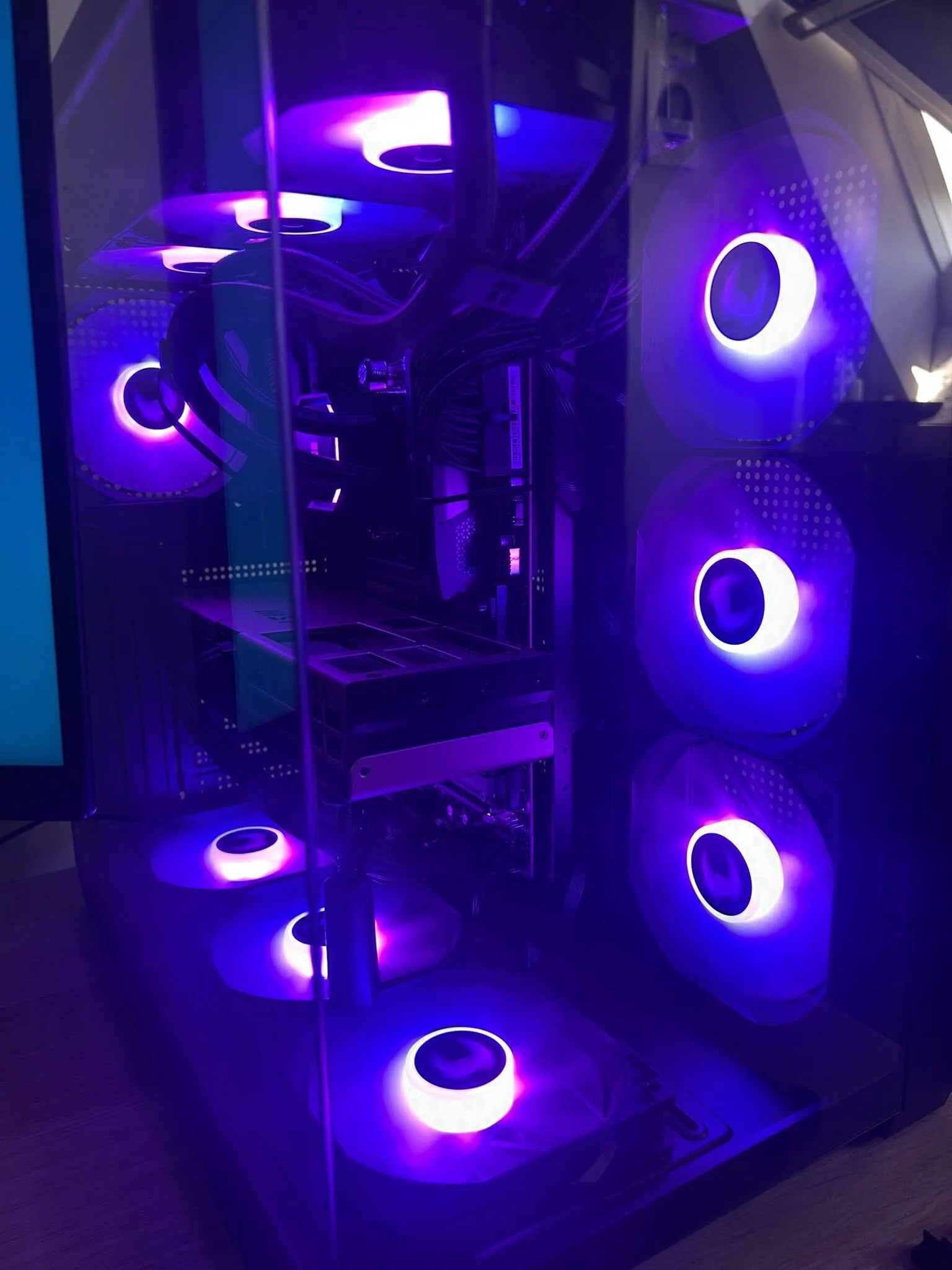
Seeing it power on and having everything work was a massive relief. I hadn’t been particularly bothered about making it look flashy, but I’m really happy with how the finished build looks with the ARGB lighting.
Better than I imagined. I’m now using a mixture of high and ultra settings, with a few options turned down or off because I don’t feel they add enough to be worth the performance cost.
With frame generation enabled, I’ve seen around 75–90 FPS at the lower end of my flights, while the displayed frame rate can go up to around 200 FPS when I’m stationary at an airport. Those figures are from my own flying with frame generation on, rather than a controlled benchmark or a measure of native FPS.
The biggest difference for me is how it feels. I no longer get the regular stutters that used to make take-off and landing rough. I might get the odd one just after loading in while the Fenix and my hardware are getting connected, but once everything has settled, the sim has been much smoother.
I’ve also tried busy airports such as Heathrow and JFK. Those were the kinds of places I expected to struggle before; now they feel like a walk in the park. I can keep my other apps and tabs open without noticing much effect on the flight, and I’m happily back to flying the Fenix A320 with my cockpit hardware working as I want it to.
For me, 100%. The smoother flights are the biggest win, but it’s also nice to stop thinking about which app I need to close before I can fly properly. I can use the aircraft, controls and tools I actually wanted to use.
That doesn’t mean everyone needs to spend this much on a flight sim PC. My choice came from how I use MSFS 2024: busy airports, the Fenix A320, a lot of hardware, other apps open alongside it and recording with OBS. Someone flying differently could be perfectly happy with a less powerful build, while someone else might need something different again.
I’ve only had the new PC for a short time, so these are my first impressions rather than a full set of benchmarks. But so far, it has fixed the things that were spoiling my flights, and I’m really glad I made the upgrade.
Harry | AeroHarold